Why You Need This Checklist
What if you could run a professional 4K multi-camera podcast studio from a single touchscreen device sitting on your desk — no tech crew, no complex routing, no overheating cameras killing your stream mid-episode?
Most podcasters and streamers hit the same wall: they want a polished, multi-cam setup that looks and sounds like a real studio, but every solution they find either costs a fortune, requires an engineering degree to operate, or falls apart the moment things go live. You end up duct-taping together a switcher, a recorder, an audio mixer, and a streaming computer — and you're still one cable pull away from disaster. The gap between "home setup" and "studio quality" feels impossibly wide.
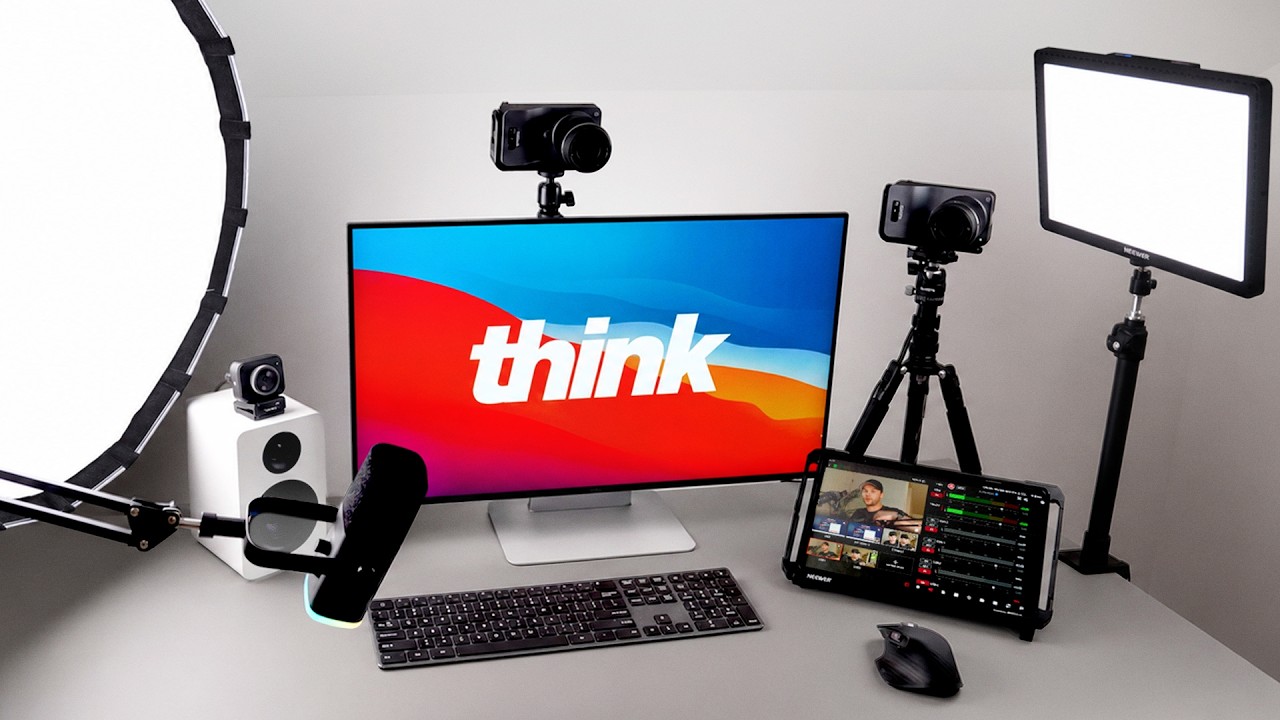
But here's what Think Media's Sean Cannell actually discovered after building this exact workflow at his home office in Oregon and at Anderson Studios in Las Vegas: you don't need a $10,000 Sony FX3 rig to get stunning 4K footage. You don't need a separate audio interface, a dedicated streaming PC, or a full-time technical director. One device — the YoloBox Extreme — acts as your switcher, recorder, live streaming engine, audio mixer, and graphics processor all at once. Pair it with the right cameras and a $50 USB microphone, and you're producing content that rivals setups costing five times as much.
Sean and the Think Media team have stress-tested this exact build in real podcast production — not just a demo, but actual episodes of the Think Media Podcast recorded with this gear. They've compared it side-by-side against professional cinema cameras, proven out the auto-switching "video follows audio" feature with real guests, and built both budget and studio-grade versions of the same workflow. That's the kind of real-world proof that actually matters when you're making buying decisions.
This checklist gives you every single step from that video, translated into a clear action plan you can follow from your first gear purchase to your first live multi-cam session. You'll know exactly which cameras to buy, how to connect everything, which features to configure first, and which accessories are worth adding to your kit. Whether you're a solo creator working from a spare bedroom or a podcast team building out a dedicated studio, this checklist gets you there without the guesswork. Download it, print it, and start checking off steps today.
What's Inside — Preview
Every checklist item comes with actionable notes to guide you — things like "Don't forget to do this before you start," "Avoid this common mistake," or "Set a reminder for 30 days out." Nothing vague, just clear next steps.
DECIDE
Decide on your budget tier: budget build using YoloCam S3 webcams or mid-range build using YoloCam S7s
BUY
Purchase your primary cameras — YoloCam S7 (mid-range) or YoloCam S3 (budget) from Yolo Live
BUY
Purchase the Yolo Live 18mm Micro Four Thirds lens for each YoloCam S7
BUY
Purchase the YoloBox Extreme — the all-in-one switcher, recorder, streamer, and audio mixer
BUY
Choose and purchase your microphone — start with the FIFINE AM8 USB-C mic for a simple budget build
+ 16 more action items inside...
 ▶ Watch the source video on YouTube