Why You Need This Checklist
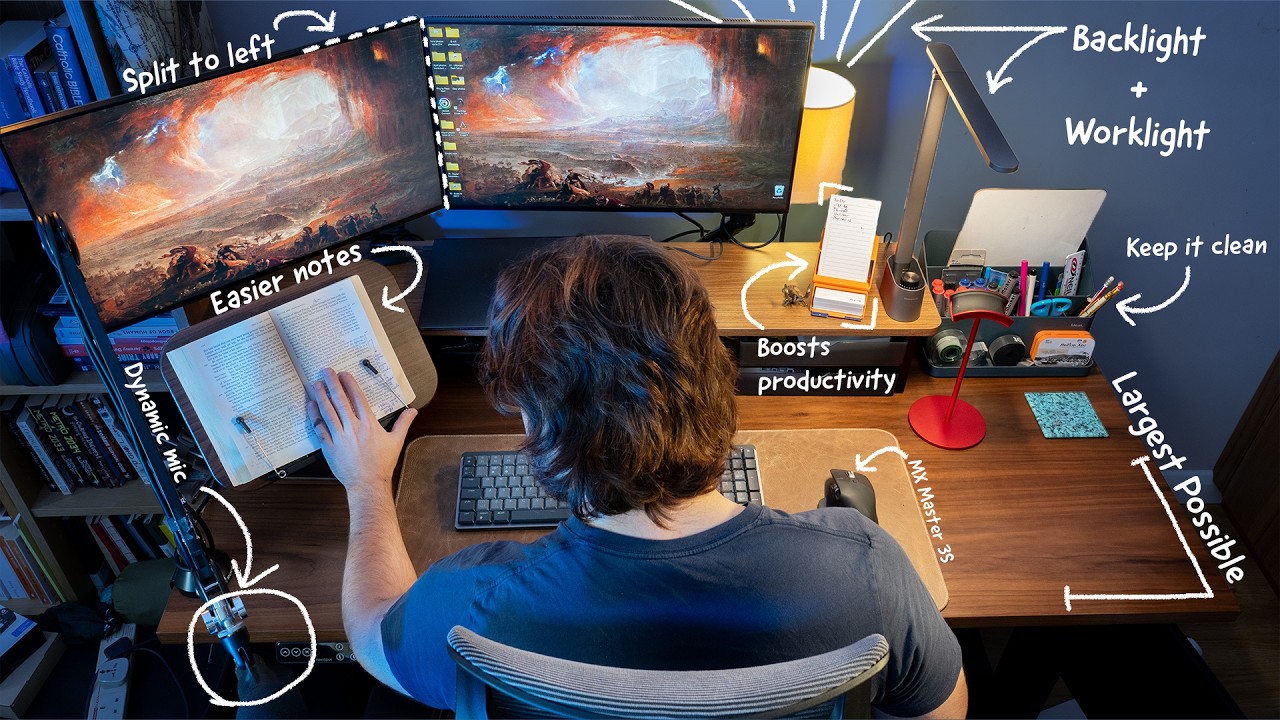
What if the reason you keep procrastinating has nothing to do with discipline — and everything to do with where you're trying to work? You already know that sinking feeling: you sit down to get something done and within minutes you're distracted, uncomfortable, and looking for any excuse to leave. The chair is terrible. The monitor is at the wrong height. Cables are everywhere. The lighting makes the room feel like a hospital waiting room. Sound familiar? That environment is quietly working against you every single day, and most people never stop to fix it because they don't know where to start or what actually matters versus what's just expensive noise. Here's the truth: you don't need a $10,000 influencer setup to build a space that makes you genuinely want to sit down and do the work. Odysseas, the creator behind the channel that produced this breakdown, has tested setups across years — from bare-bones student desks to full multi-monitor rigs — and distilled everything down to the upgrades that actually move the needle. Not the ones that look good in thumbnails. The ones that protect your back, clear your mind, and make working feel less like punishment. Imagine sitting down at your desk tomorrow and feeling that rare, satisfying sense of everything being in the right place. Your monitor at eye level so your neck doesn't ache by noon. A keyboard that makes typing feel fast and almost enjoyable. Lighting that makes the room feel warm and focused instead of harsh and clinical. Your peripherals all connected through one clean hub. A to-do list you can actually see and act on. That's not a fantasy — it's a series of specific, deliberate choices, and Odysseas maps every single one of them out. This checklist translates the full video into a clear, step-by-step action guide covering every upgrade covered in the video: desk selection, monitor placement rules, chair must-haves, audio gear, lighting principles, keyboard sizing, mouse selection, docking stations, and even the often-skipped but critically important habits around cleaning and maintaining what you already own. Whether you're starting from scratch or finally fixing the setup that's been annoying you for months, this checklist tells you exactly what to do, what to buy, what to avoid, and what principles apply no matter your budget. Stop watching productivity videos from a bad chair in bad lighting. Use this checklist to actually build the setup.
What's Inside — Preview
Every checklist item comes with actionable notes to guide you — things like "Don't forget to do this before you start," "Avoid this common mistake," or "Set a reminder for 30 days out." Nothing vague, just clear next steps.
DECIDE
Decide on a sit-stand desk as your foundation — do not skip this step
RESEARCH
Research the FlexiSpot E7 Plus four-legged standing desk as your primary benchmark
BUY
Buy or build a desk shelf to raise your monitor to the correct eye level
DECIDE
Choose monitor size based on how many monitors you'll use
DECIDE
Choose the right resolution for your primary monitor
+ 23 more action items inside...
 ▶ Watch the source video on YouTube